Launch monitor review
FlightScope Mevo Gen2 Launch Monitor Review
FlightScope’s radar-and-camera personal launch monitor, with 20 numbers and no subscription

How we tested: Used at the range with an iPhone and in the IGR Office on a PC for simulator golf and club testing. How we test
Key specs
- Technology
- 3D Doppler radar plus camera (Fusion Tracking)
- Data
- 20 standard numbers; 11 more with Pro Package
- Space indoors
- 7–9 ft behind the ball, 8 ft of ball flight
- Subscription
- None
- Battery
- Up to 6 hours, USB-C
- Simulator
- 8 E6 Connect courses included; GSPro supported
- Putting
- Yes
- Weight
- 1.1 lb
- Does it need a subscription?No. The app and FlightScope cloud are free, and 8 E6 Connect courses come with it.
- How much room do you need indoors?About 8 feet behind the ball and 8 feet of ball flight, so roughly 16 feet of depth.
Our verdict
The Mevo Gen2 gives you 20 numbers on every shot, indoors or out, with no subscription. In my testing its data was virtually identical to much more expensive units, and my numbers didn’t change between the range and the IGR Office.
Pros
- 20 numbers on every shot, plus Fusion Tracking that records your swing on camera
- No subscription; the app and FlightScope cloud are free
- Same numbers indoors and out in my testing
- 8 E6 Connect simulator courses included, and putting works
- Pro Package (11 more numbers) and Face Impact Location add the detail I wanted
Cons
- Needs about 8 feet behind the ball plus 8 feet of ball flight indoors
- First setup can take an hour with the app, unlock codes and simulator software
- Pro Package and Face Impact Location are extra
Best forGolfers who want full club and ball data at the range and for home simulator golf without a subscription
Skip it ifIf your room is short on depth, a camera unit that sits beside the ball will fit better. If you only want speed and distance on a built-in screen, the Shot Scope LM1 covers the basics.
- Amazon Check price See it at Amazon: FlightScope Mevo Gen2 Launch Monitor
- eBay Check price See it at eBay: FlightScope Mevo Gen2 Launch Monitor
In this review
The FlightScope Mevo Gen2 Launch Monitor is a personal launch monitor that pairs 3D Doppler radar with a camera to measure 20 numbers on every shot, with no subscription. In my testing its data was virtually identical to much more expensive units, and my numbers didn’t change between the range and the IGR Office. It suits golfers who want full club and ball data at home and on the range without paying monthly fees.
I used it at the range with my iPhone and indoors on a PC for simulator golf, and I use it to test clubs for reviews. It replaced the Mevo+ in FlightScope’s lineup, which I reviewed as the Mevo+ Pro.


Setup and the first hour
The Mevo Gen2 takes a few steps before it tracks anything. Charge it out of the box, then download the FlightScope app, connect over WiFi and scan the QR code on the back of the unit. I’d start with a smartphone because it’s the easiest way to connect, and you can add other devices once it’s running.
If you bought the Pro Package or Face Impact Location, FlightScope emails you a code to enter in the app. Simulator golf needs a separate code for the 8 E6 Connect courses, and that works well from a PC connected to a projector. Don’t be surprised if the whole process takes an hour. It’s a one-time job, and it’s worth it for the data you get.


There are no subscriptions after that. The base unit has a couple of add-on features, but you can use the Mevo Gen2 season after season without paying an annual or monthly fee, which matters when you compare launch monitors.
Indoors, outdoors and simulator golf
The Mevo Gen2 works anywhere you can swing a club. The radar sits behind the ball, and the tip-out kickstand sets it up in seconds. It levels itself internally, within reason, so you don’t have to tilt or adjust it. Indoors, FlightScope lists 7 to 9 feet from the unit to the ball and at least 8 feet of ball flight, so plan on about 16 feet of depth in all.
At the range I connect it to my iPhone and see every data parameter I want, and Fusion Tracking lets me watch my swing on the camera too. Indoors I connect it to my PC for simulator golf. It comes with reflective stickers to help track spin, but I use RCT golf balls, which do essentially the same job. There are also combine practice modes and range games that my kids enjoy.

What impresses me most is how consistent the tracking is indoors and outdoors. My irons go the same distance in the IGR Office as they do at the range, so I can trust my club test numbers in either place. The simulator recreates golf accurately enough that I score about the same on the digital course as on the real one, and I can play 18 holes in the office in under an hour.


Accuracy and data
Where the Mevo Gen2 stands out is how much it measures. Cheaper units give you club speed, smash factor and distance. The Mevo Gen2 reports 20 numbers as standard, plus Fusion Tracking, and in my testing that data was virtually identical to much more expensive units, shot after shot.
The Pro Package adds 11 more numbers, including club path and face angle, and Face Impact Location shows where on the face you hit the ball. I recommend getting both if you want the most detail. The updated app makes the data easier to follow, with number charts next to a range view that shows exactly what each shot did.


Putting works on the Mevo Gen2 too. That’s a big bonus in simulator golf, because you aren’t handed an automatic two-putt every time you hit the green.
App and simulator courses
The app is free, the FlightScope cloud connection is free and access to 8 E6 Connect courses is included. They are Kiawah Ocean Course, Torrey Pines South Course, Kapalua Plantation Course, Valderrama, Sea Island Seaside Course, Pelican Hill, Chateau Whistler and Latrobe Country Club. I used to run the 30-course E6 Connect package in the IGR Office, dropped that subscription for these eight, and they are more than enough to play indoors regularly.
Everything syncs automatically and your past data sits in one place. That makes it easy to follow your progress over a season, or to compare a club you’re testing with the one in your bag.

Should you buy it?
Yes, if you want full club and ball data without a subscription and plan to use it both outdoors and at home. I’d go all-in on the Pro Package and Face Impact Location with the FlightScope Mevo Gen2 Launch Monitor for the most detail. Our best launch monitors guide names it the Best Launch Monitor Under $2,000.
Skip it if your room is short on depth, because the radar sits behind the ball and needs about 16 feet in all. If you only want speed and distance on a built-in screen, the Shot Scope LM1 covers the basics in a simpler unit.
FlightScope Mevo launch monitors
Red names are ones we’ve reviewed.
- 2017 Mevo Our review
- 2025 Mevo Gen2 You’re here
How it compares
-
 Shot Scope LM1
A radar unit with its own screen that shows speed and distance, with no spin or launch angle.
-
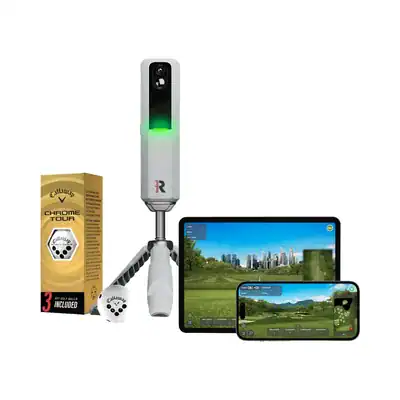
Rapsodo MLM2PRO
Measures spin with a camera, which suits indoor use.
-
Garmin Approach R50
Garmin’s launch monitor with a built-in screen and simulator support.
-
Full Swing KIT
A launch monitor with a built-in screen for the range.



Questions golfers ask
Does the Mevo Gen2 need a subscription?
No. The app and FlightScope cloud connection are free, and 8 E6 Connect courses are included. The Pro Package and Face Impact Location are add-ons you buy once, and other simulator software such as GSPro is sold separately.
How much space does the Mevo Gen2 need indoors?
FlightScope lists 7 to 9 feet from the unit to the ball and at least 8 feet of ball flight, so plan on about 16 feet of depth in all. For putting it lists 5 feet from the unit to the ball and at least 8 feet of flat roll.
Are the Mevo Gen2 numbers the same indoors and outdoors?
In my testing, yes. My irons went the same distance in the IGR Office as they did at the range, which is why I trust it for club testing in either place. I score about the same on the simulator as on the real course.
What do the Pro Package and Face Impact Location add?
FlightScope says the Pro Package unlocks 11 more numbers, including club path, face angle, swing plane and low point. Face Impact Location shows where on the clubface you struck the ball. I recommend both if you want the most detail.
Photos 17
About the author

Ryan Heiman founded Independent Golf Reviews in 2011 and is its head reviewer. A 3-handicap based in Tucson, Arizona, he has written more than 1,500 reviews of golf equipment, accessories and courses, played more than 600 courses, and worked with virtually every major golf brand over 15 years.
More about RyanMore launch monitors reviews
-
 Garmin Approach G82 GPS/Launch Monitor Review
-
 FlightScope Mevo+ Pro Launch Monitor Review
-
 FlightScope Xi Tour Launch Monitor Review